Login Sign Up
Preview Mode
You're viewing a live demo. All values shown are zero — create an account to see your real data.
Login Sign Up

How to Buy UCHN

Follow these simple steps to participate in our token sale. The entire process takes less than 10 minutes.

1
Create Your Account
2
Verify Your Email
3
Set Up Your Wallet
4
Choose Payment Method
5
Enter the Amount
6
Complete Your Purchase
1

Create Your Account

Visit our registration page and sign up with your email address. Fill in your details, agree to the terms and conditions, and click "Register". You'll receive a confirmation email — click the link to verify your account.
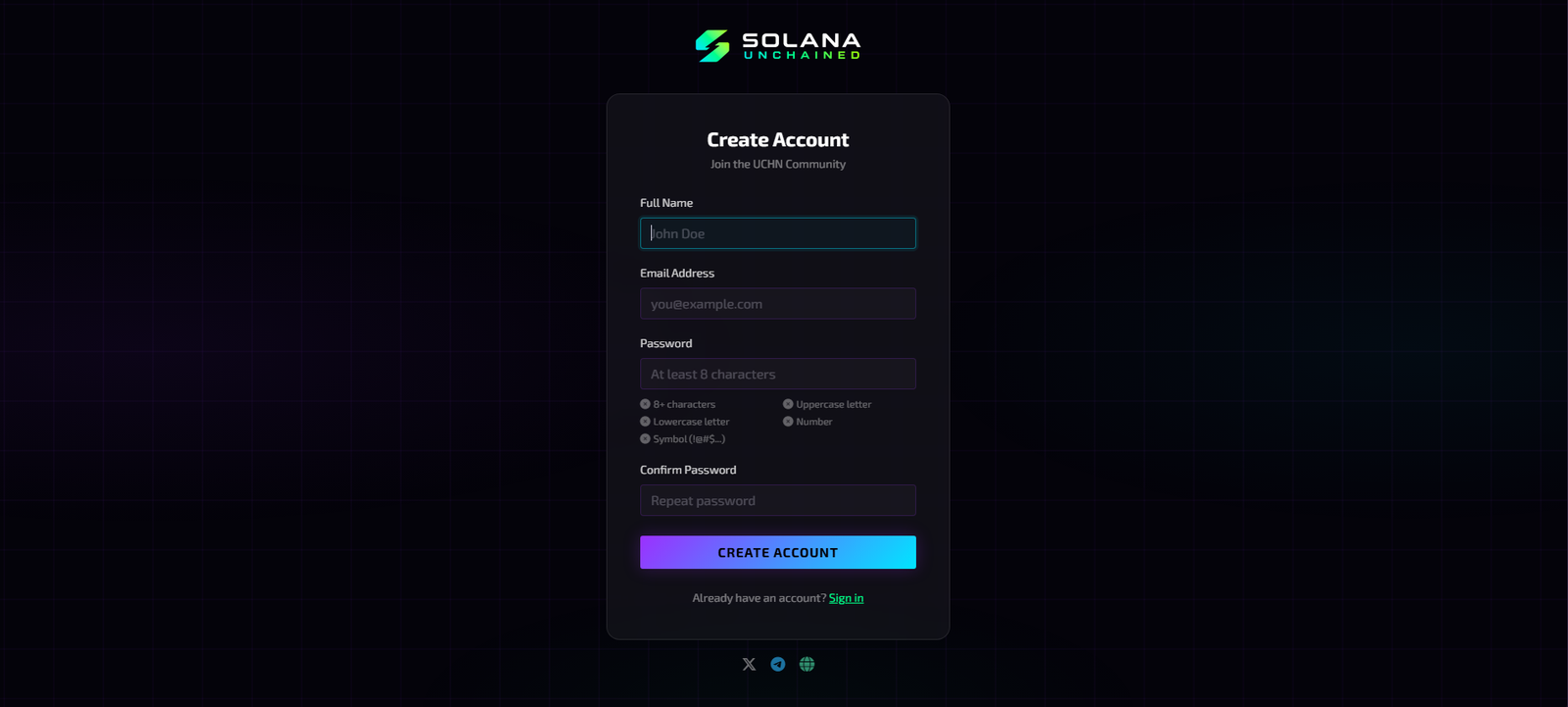
Tip: Make sure to use a valid email address you have access to — you'll need it for verification and notifications.
Create Your Account
STEP 1 COMPLETE
2

Verify Your Email

Check your inbox for the verification email. Click the confirmation link to activate your account. If you don't see it, check your spam folder. Once verified, you'll be redirected to your dashboard.
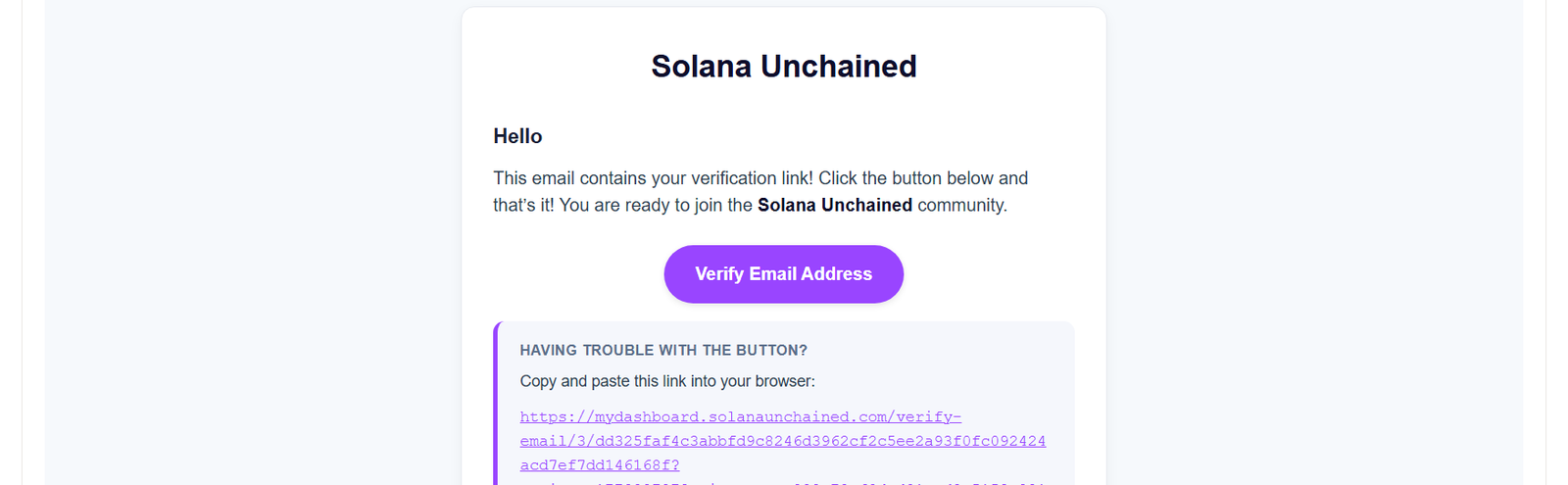
Tip: The verification link expires in 60 minutes. Request a new one from the login page if needed.
Verify Your Email
STEP 2 COMPLETE
3

Set Up Your Wallet

Go to your Profile page and enter your cryptocurrency wallet address. This is the wallet where your purchased tokens will be delivered after the sale ends. Double-check the address. Transactions cannot be reversed.
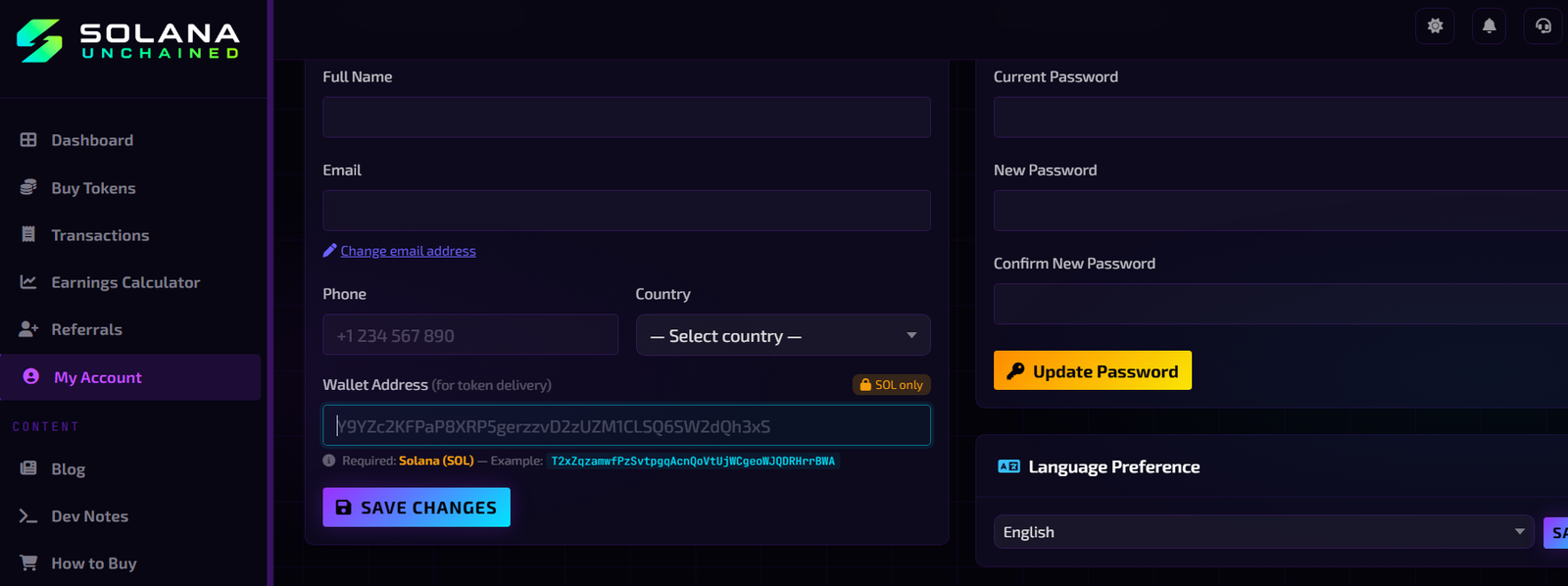
Tip: Never share your wallet private keys with anyone. We will only ask for your public wallet address.
Set Up Your Wallet
STEP 3 COMPLETE
4

Choose Payment Method

Navigate to the "Buy Tokens" section from your dashboard. Select your preferred payment method, we accept ETH, BTC, USDT (TRC20/ERC20/BSC), USDC, DAI, BNB, and more. Each network displays the current exchange rate and minimum purchase amount.
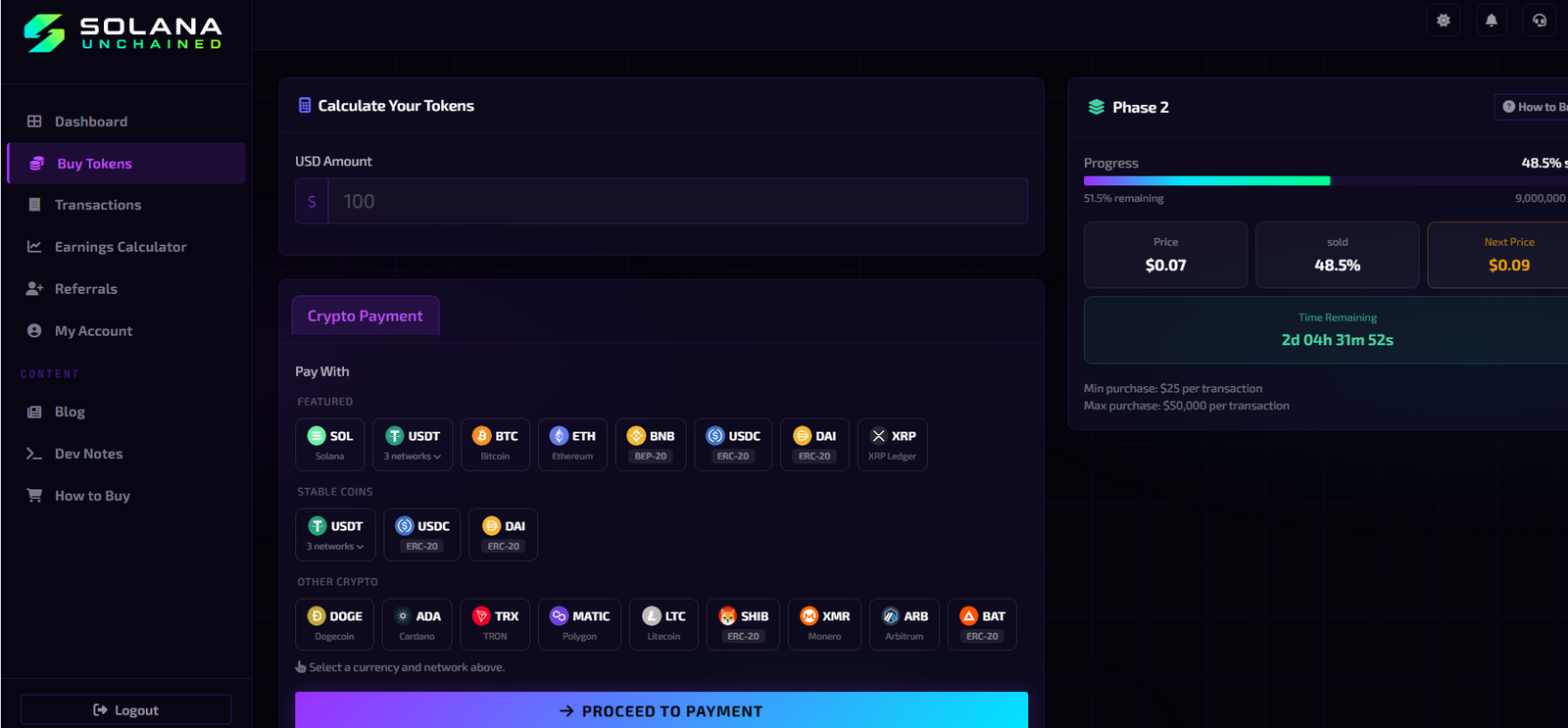
Tip: Check the network carefully — sending funds on the wrong network may result in permanent loss.
Choose Payment Method
STEP 4 COMPLETE
5

Enter the Amount

Enter the amount of tokens you wish to purchase or the amount of crypto you want to spend. The platform will automatically calculate the equivalent.
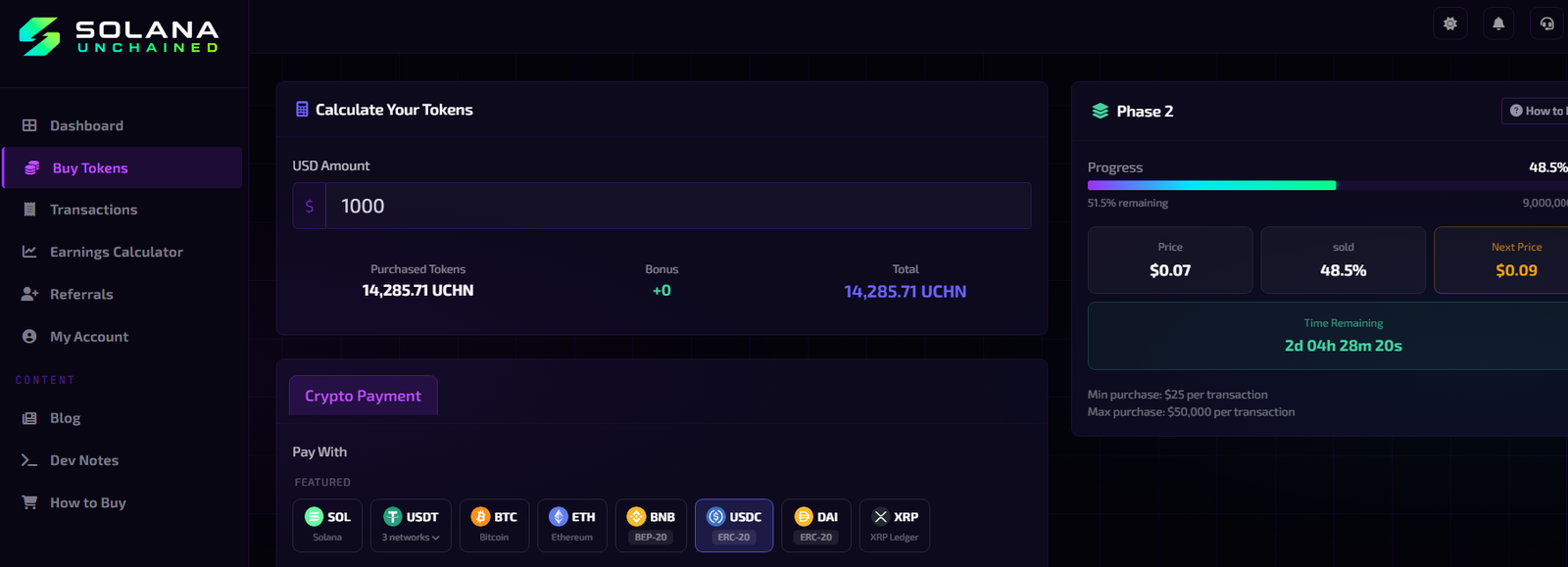
Tip: Double-check the amount before proceeding, once confirmed, transactions on the blockchain are irreversible.
Enter the Amount
STEP 5 COMPLETE
6

Complete Your Purchase

Send the exact crypto amount to the payment address shown. Your transaction will be confirmed on-chain and your token balance will be updated in your dashboard. You'll receive an email confirmation once your order is complete.
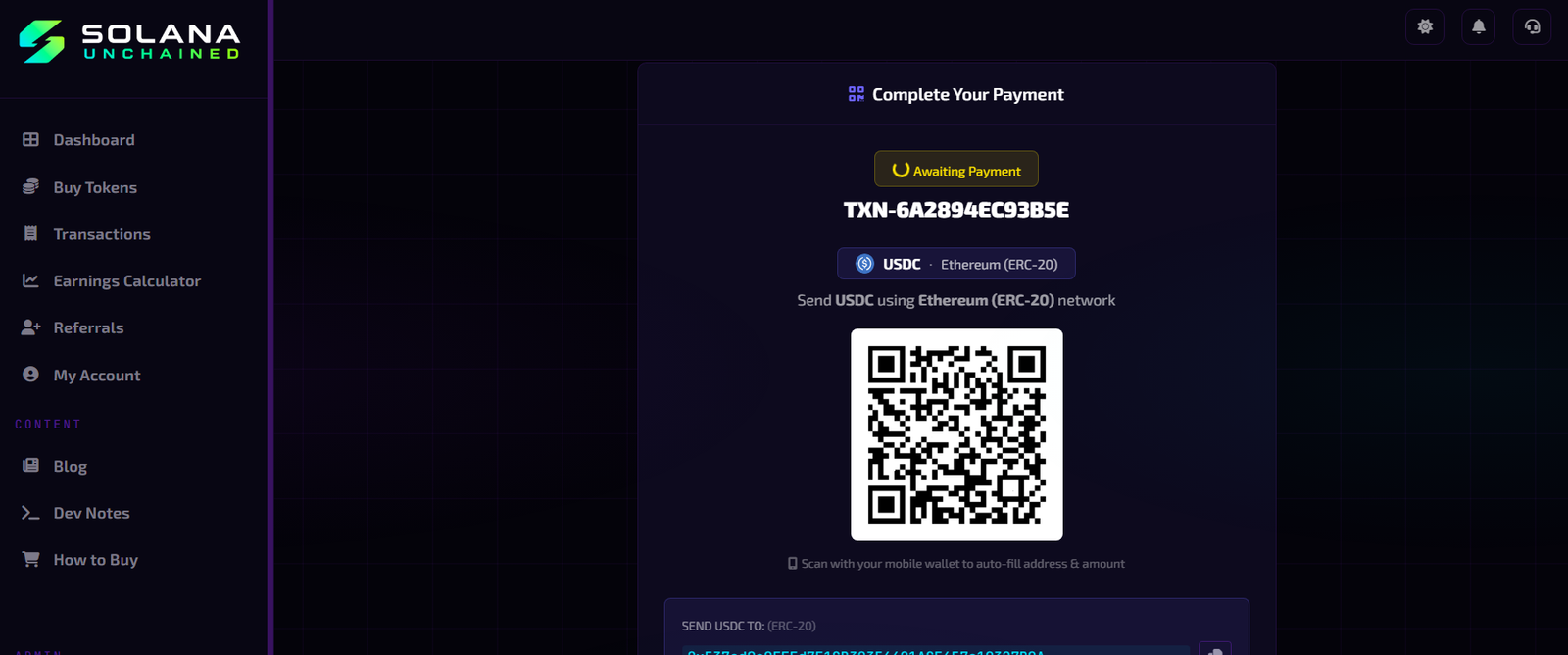
Tip: Keep your transaction confirmation email as proof of purchase. You can track your order status from the dashboard.
Complete Your Purchase

Frequently Asked Questions

How long does it take to receive my tokens?
Tokens are distributed after the token sale concludes. You can track your allocation in your dashboard. Crypto payments are typically confirmed within 10–30 minutes depending on network congestion.
Is there a minimum or maximum purchase?
Yes, each payment method has a minimum purchase amount displayed during checkout. Maximum limits depend on your account status. Check the Buy Tokens page for current limits.
What happens if I send the wrong amount?
If you send less than the required amount, your transaction will be marked as a partial payment. If you send more, the excess amount is typically credited as additional tokens. Contact support for assistance.
Can I participate from any country?
Participation is subject to the laws and regulations of your country. Residents of sanctioned countries may be restricted. Please review our Terms of Service for the full list of restrictions.
Is my data secure?
Yes. We use industry-standard encryption, two-factor authentication, and never store your private keys. Only your public wallet address is stored on our platform.

Ready to get started?

Join thousands of investors and secure your UCHN tokens today.